

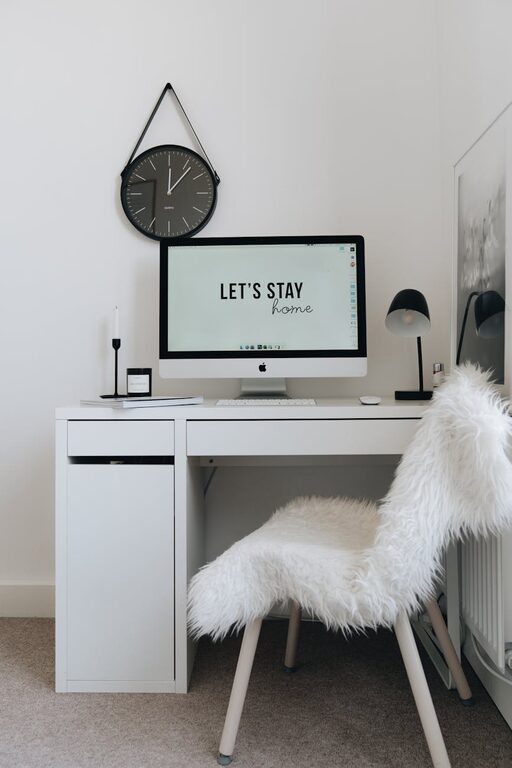
Creating a home workspace that is both cozy and functional can transform the way you work and improve your overall well-being. Whether you’re working remotely full-time or need a dedicated spot for occasional projects, a well-designed home office helps you stay focused and comfortable throughout the day. In this guide, we’ll explore practical tips to set up a space that feels inviting but also supports productivity.
Choose the Right Location
Selecting the right spot in your home for your workspace is the first step. Ideally, pick a quiet area with minimal distractions. If possible, a separate room or corner away from high-traffic zones works best.
– Look for natural light sources like windows.
– Avoid locations near noisy appliances or televisions.
– Consider how you’ll separate work time from home time.
Invest in Comfortable Seating
Sitting for hours can strain your body, so a comfortable chair is essential.
– Choose an ergonomic chair that supports your back.
– Adjust height so your feet rest flat on the floor.
– Consider adding a cushioned seat pad or lumbar support for extra comfort.
Optimize Your Desk Setup
Your desk should fit your work style and equipment.
– Pick a desk with enough surface area for your computer, notebooks, and accessories.
– Keep frequently used items within arm’s reach.
– Use desk organizers or trays to minimize clutter.
If space is limited, consider wall-mounted desks or fold-out tables that can be tucked away.
Prioritize Lighting
Good lighting reduces eye strain and keeps you energized.
– Position your desk near natural light, but avoid glare on your screen.
– Use adjustable desk lamps with soft white bulbs.
– Add ambient lighting like floor lamps or string lights for a warm atmosphere.
Personalize Your Space
Adding personal touches makes your workspace feel welcoming.
– Include plants to add greenery and improve air quality.
– Hang inspiring artwork or photos.
– Choose a color scheme that you find calming or motivating.
Just be sure not to overcrowd the space with too many items.
Keep It Organized
A clutter-free environment supports focus and reduces stress.
– Sort cables with clips or ties to prevent tangles.
– Use shelves, drawers, or bins to store papers and supplies.
– Set a routine to tidy up your workspace at the end of each day.
Incorporate Functional Technology
Technology should make work easier, not harder.
– Invest in reliable internet and if needed, a Wi-Fi extender.
– Use wireless peripherals like keyboard and mouse to reduce cords.
– Consider noise-canceling headphones if your environment is noisy.
Maintain Good Air Quality
Air quality affects your comfort and cognitive function.
– Open windows regularly to let in fresh air.
– Add an air purifier if needed, especially in enclosed spaces.
– Incorporate houseplants known for air-purifying benefits like snake plants or pothos.
Add Comfort Features
Small comforts go a long way in making your workspace cozy.
– Use a soft rug or floor mat under your desk.
– Have a small heater or fan nearby for temperature control.
– Keep a water bottle and healthy snacks accessible.
Establish Boundaries for Work and Breaks
Lastly, to keep your workspace functional, set clear boundaries.
– Define specific work hours and stick to them.
– Use a separate workspace to mentally separate work from relaxation.
– Take regular breaks to move around and rest your eyes.
—
With these tips, creating a cozy and functional home workspace becomes an achievable goal, leading to better focus and a more enjoyable work-from-home experience. Remember that your workspace should reflect your personal needs and preferences—feel free to adjust as you discover what works best for you.