

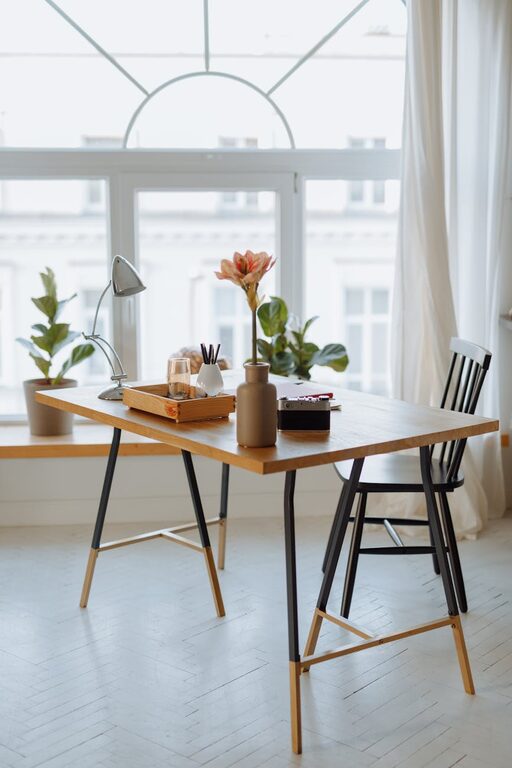
Creating a home workspace that is both cozy and functional can significantly improve your productivity and overall well-being. Whether you work remotely, study, or pursue hobbies from home, having a dedicated area tailored to your needs can make all the difference. In this post, we’ll explore practical tips to help you design a home workspace that feels inviting and supports your daily tasks.
Why a Cozy Workspace Matters
A comfortable and personalized workspace encourages focus and reduces stress. When your environment feels welcoming, it’s easier to stay motivated and enjoy your work sessions. Functionality ensures that everything you need is within reach, minimizing distractions and inefficiencies.
Choosing the Right Location
Consider Natural Light
Select a spot in your home with ample natural light. Sunlight not only enhances mood but also reduces eye strain during long work hours. Position your desk near a window if possible, but be mindful of glare on your computer screen.
Minimize Noise and Distractions
Choose a quiet area or create noise barriers with rugs, curtains, or sound-absorbing panels. If background noise is unavoidable, consider using noise-canceling headphones or playing soft instrumental music.
Selecting Comfortable and Practical Furniture
Invest in an Ergonomic Chair
A chair that supports your posture is essential for comfort during long periods of sitting. Look for adjustable height, lumbar support, and cushioning.
Choose a Desk that Fits Your Needs
Your desk should accommodate your work essentials, such as a computer, notebooks, and other tools, without feeling cramped. If space is limited, consider a wall-mounted foldable desk or a compact writing table.
Add a Footrest
Using a footrest can improve circulation and reduce strain on your legs, contributing to better overall comfort.
Organizing for Efficiency
Declutter Regularly
Keep only the essentials on your desk to maintain focus and reduce stress. A tidy workspace helps you feel more in control and ready to tackle tasks.
Use Storage Solutions
Incorporate shelves, drawers, or bins to store supplies and documents neatly. Label containers to save time locating items.
Cable Management
Organize cords with clips, sleeves, or cable boxes to prevent tangles and keep your workspace neat and safe.
Adding Cozy Touches
Incorporate Soft Textures
Add a throw blanket, cushion, or area rug to create a warm and inviting atmosphere. Textiles can also help absorb noise.
Personalize Your Space
Display photos, artwork, or plants that inspire you. Personal touches make your workspace feel uniquely yours and can boost creativity.
Use Warm Lighting
Supplement natural light with warm-toned desk lamps or fairy lights. Soft lighting reduces eye strain and creates a relaxing ambiance.
Enhancing Productivity
Maintain Good Posture
Set up your desk and chair so your computer screen is eye level and your wrists are comfortable while typing.
Take Breaks
Incorporate short breaks to stretch or walk around. Setting reminders can help maintain a healthy work routine.
Create Zones
If space allows, designate areas for different tasks, such as a reading nook or a brainstorming wall with a whiteboard or corkboard.
Technology and Connectivity
Reliable Internet
Ensure you have a strong internet connection to prevent disruptions during work or meetings.
Essential Tech Tools
Invest in peripherals like a quality keyboard, mouse, or headphones that enhance comfort and efficiency.
Maintaining Your Workspace
Regularly clean and refresh your workspace to keep it inviting and functional. Rotate personal items or update décor periodically to keep the space inspiring.
—
Creating a cozy and functional home workspace is all about balancing comfort with practicality. By thoughtfully choosing your location, furniture, organization methods, and decorative elements, you can build an environment that supports your productivity and makes working from home a more enjoyable experience. Start small, and adjust your space over time to find what works best for you.